Never double-feed your best friend again.
A round touch screen that lives by the bowl. It wakes up at feeding time, shows exactly what to give, and the moment you tap it, everyone in your household knows your pet has been fed.
Not an automatic feeder. You feed your pet. JustFed makes sure everyone else knows it already happened.
- AMOLED touch screen
- 1.75″AMOLED touch screen
- tells the household
- 1 taptells the household
- magnetic & rechargeable
- 39 gmagnetic & rechargeable
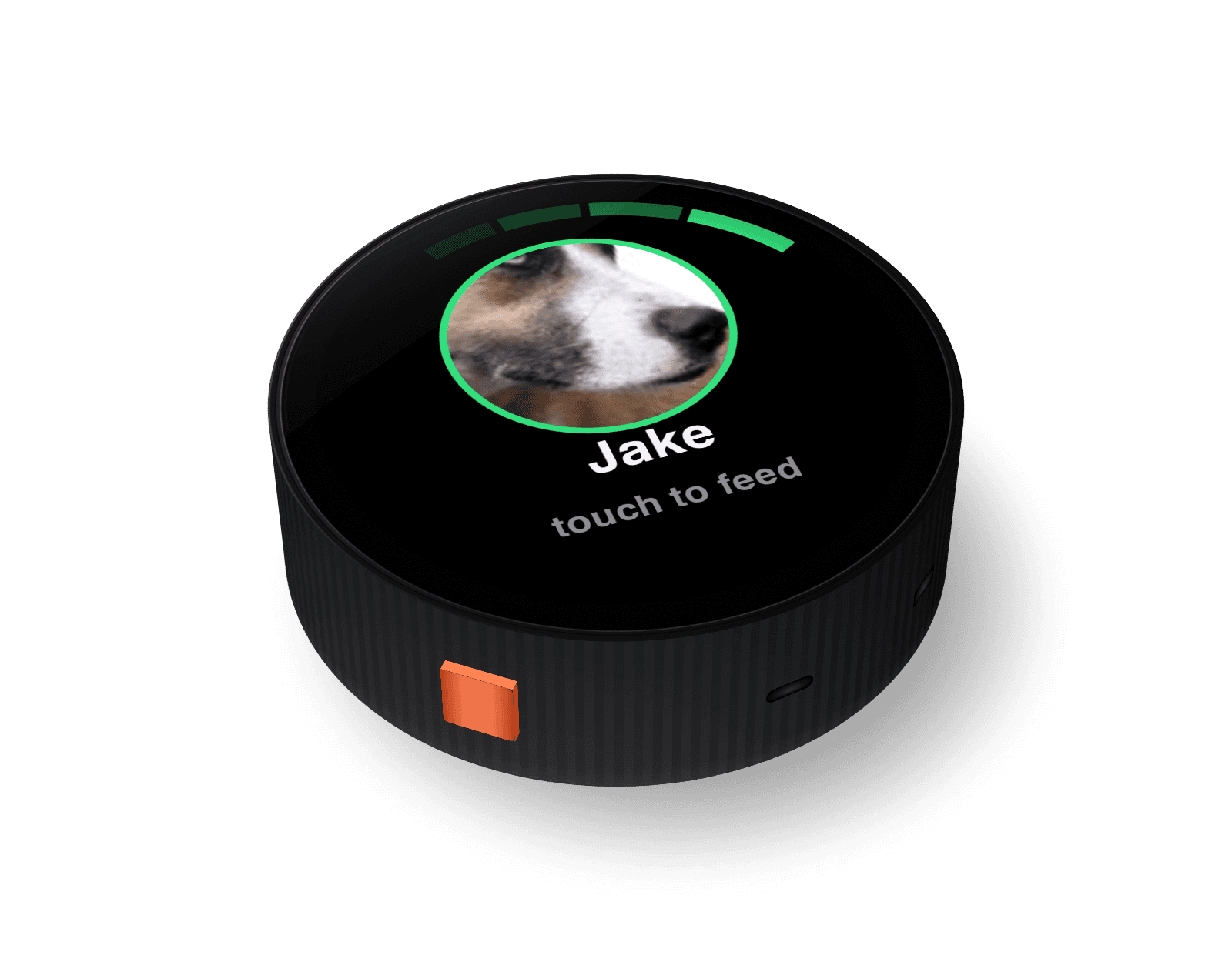
“Did anyone feed the dog?”
Two people, one dog, zero coordination. Someone assumes, someone guesses, and the dog, who would absolutely lie about it, gets a second breakfast. Or none at all.
Extra meals add up fast. Vets rank obesity among the most common preventable health problems in dogs and cats, and for pets on diets or medication a single “oops” can undo weeks of work. Sticky notes and group chats don’t fix it.
Feed your pet. Tap the screen. Done.
No reservoir, no hopper, no app to open at the bowl. Here’s a day with JustFed.
- Step 1
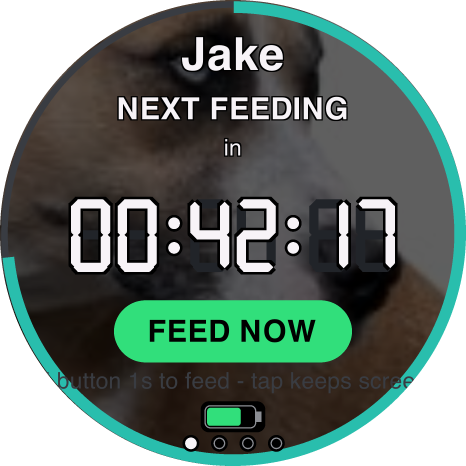
It rests between meals
Between meals the screen sleeps to save battery. Tap it any time to see the countdown to the next feeding. The magnetic back sticks to the fridge or anything metal, or it sits on the counter by the bowl.
- Step 2
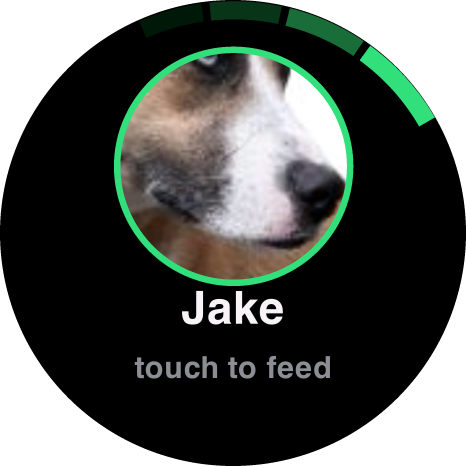
It wakes at feeding time
An animated alert shows your pet, exactly what to give and any medication due (in red), with a chime. If nobody responds, it keeps reminding, more often. After 3 hours a missed feeding is reported to the household.
- Step 3

Feed your pet, then tap the screen
One tap logs the feeding to JustFed Cloud over a signed, secure request. The screen celebrates (“Jake has been fed!”) and everyone in the household gets a text or app notification right away.
- Step 4
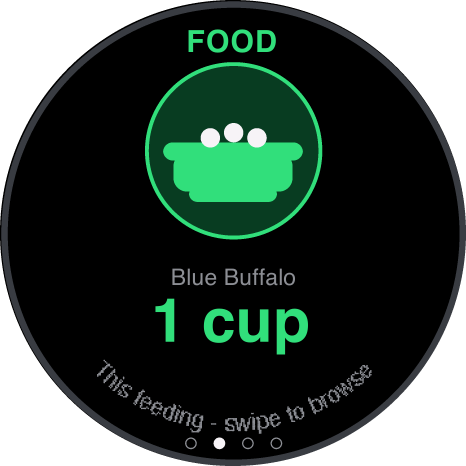
Everyone knows what’s next
The screen counts down to the next meal. Swipe to see food details with a product photo, medications and settings. Swipe down to refresh. Hold FEED NOW to log a meal early.
- Step 5
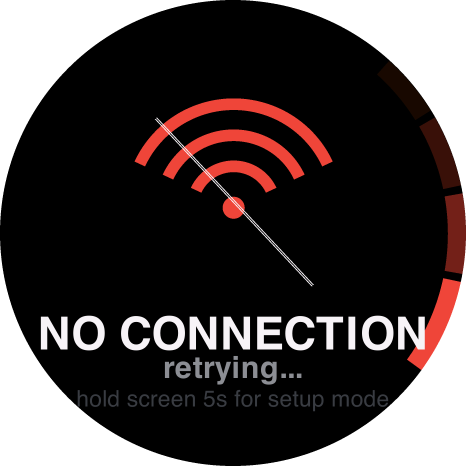
It keeps working when Wi-Fi doesn’t
If Wi-Fi drops, feedings are saved on the device and sync when it comes back. On USB power it stays on as a live countdown clock.
Tap the screen. Swipe through a feeding.
This is the device’s real interface. Tap the alert to log a feeding, then swipe for food, medications and settings.

Small enough for the fridge. Smart enough to run the routine.
Everything the household needs to know at the bowl, and nothing it doesn’t.
1.75″ round AMOLED
Sharp, bright 466 × 466 touch screen with deep blacks. Easy to read from across the kitchen.
Reminders that escalate
It chimes at feeding time and reminds more often if nobody answers. Missed meals are reported after 3 hours.
Medication in red
When a dose is due, it shows on the alert in red, right next to the food.
Speaks and chimes
A built-in speaker plays chimes and can read out the feeding instructions. A vibration motor gives quiet feedback.
The whole household, told at once
Every tap fans out as a text or app notification to everyone you’ve shared the pet with.
Magnetic mount
The magnetic back sticks to the fridge or any metal surface. There’s a lanyard hole too.
Works offline
No Wi-Fi? Feedings queue on the device and sync as soon as it reconnects.
Rechargeable, USB-C
450 mAh battery charged over USB-C. When it’s plugged in, it doubles as a countdown clock.
Secure by design
Set up over USB-C in the web app or over encrypted Bluetooth LE. Every feeding is sent to the cloud as a signed request.
Clear at a glance, from across the kitchen.
Rendered from the device’s own drawing code on the 466 × 466 AMOLED display.
Feeding timeWakes with your pet, the portion and a chime. 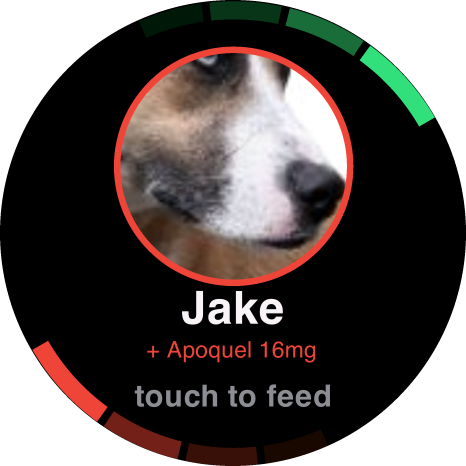
Medication dueDoses show in red so nobody misses them. Fed!One tap logs it and tells the household. Next mealA live countdown to the next feeding. Food detailsWhat to serve, with a photo of the bag. 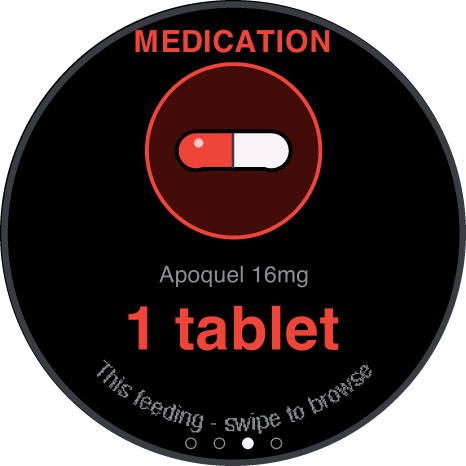
MedicationsEvery medication and its schedule. 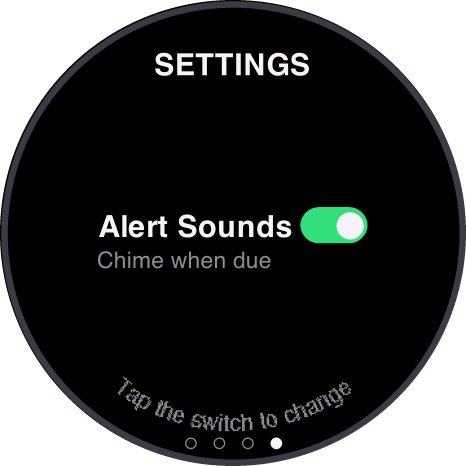
SettingsAlert sounds on or off, right on the device. 
RefreshingSwipe down any time to pull the latest schedule. OfflineNo Wi-Fi? Feedings queue and sync later. 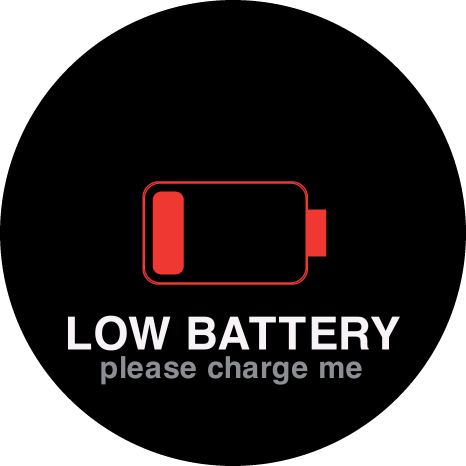
Low batteryA heads-up well before it runs flat. 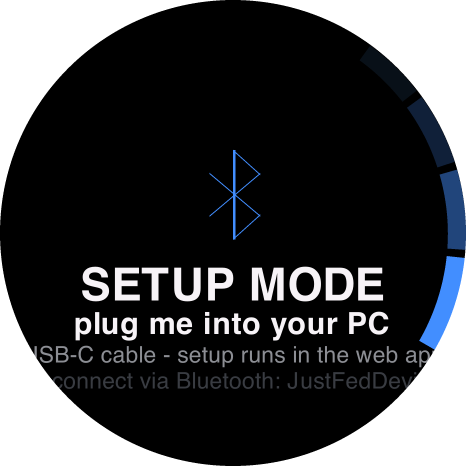
SetupSet up over USB-C in the web app, or over Bluetooth.
Better than a sticky note. Simpler than a feeder.
| Capability | JustFed | Sticky notes / whiteboard | Group texts | Automatic feeder |
|---|---|---|---|---|
| Shows who fed the pet, and when | Yes | Partly | Partly | No |
| Reminds you when a meal is due | Yes | No | No | Partly |
| Tracks medication doses | Yes | Partly | No | No |
| Tells everyone the moment it happens | Yes | No | Yes | No |
| Reports a missed feeding | Yes | No | No | No |
| You still decide what goes in the bowl | Yes | Yes | Yes | No |
| Nothing to jam, refill or clean | Yes | Yes | Yes | No |
JustFed is perfect if…
- You share feeding duties with family, roommates or a pet sitter
- Your pet is on a strict diet or a medication schedule
- You want a timestamped history of every meal
- You worry about double-feeding or missed meals
It’s not for you if…
- You want a machine that dispenses food for you
- You need automatic portions while you’re away
- Your pet free-feeds with no schedule at all
The whole routine, in everyone’s pocket.
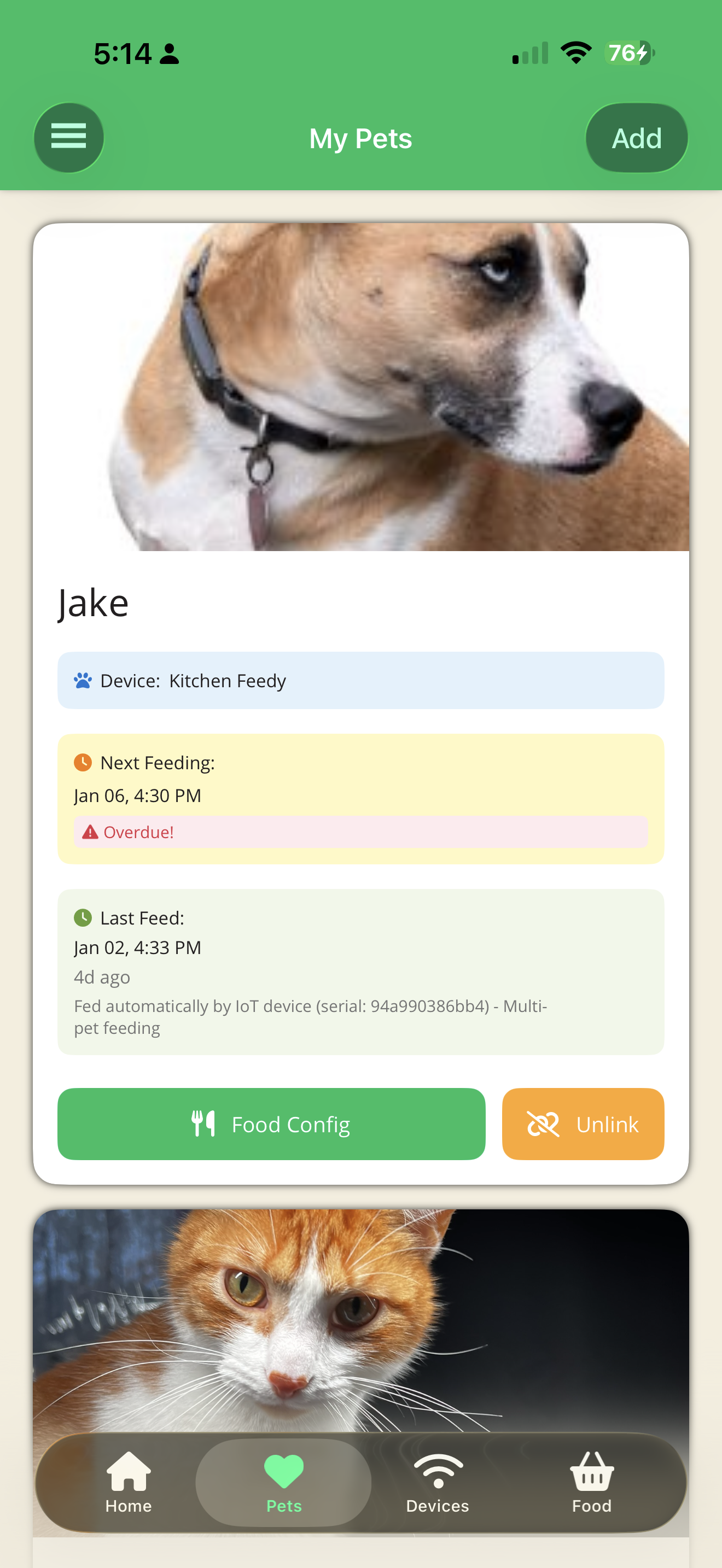
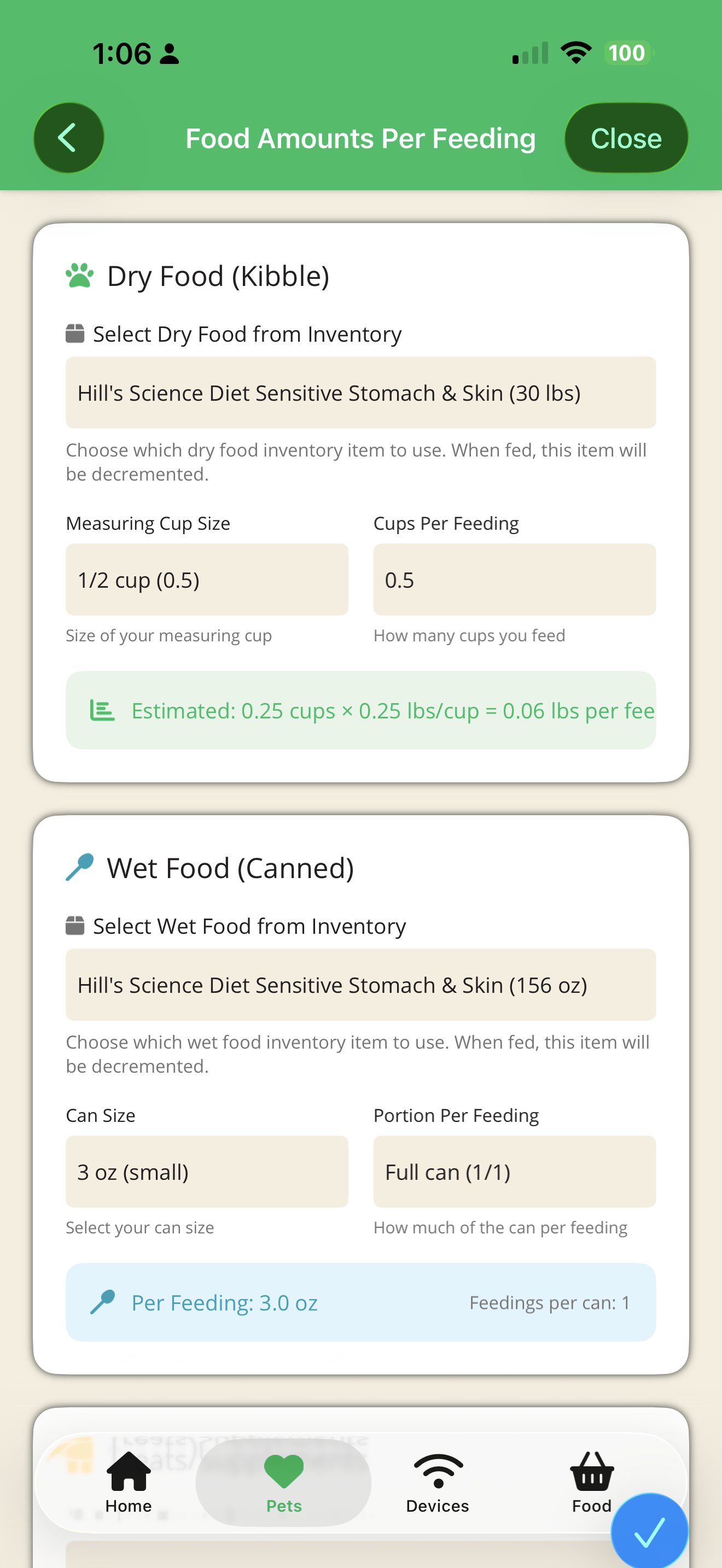
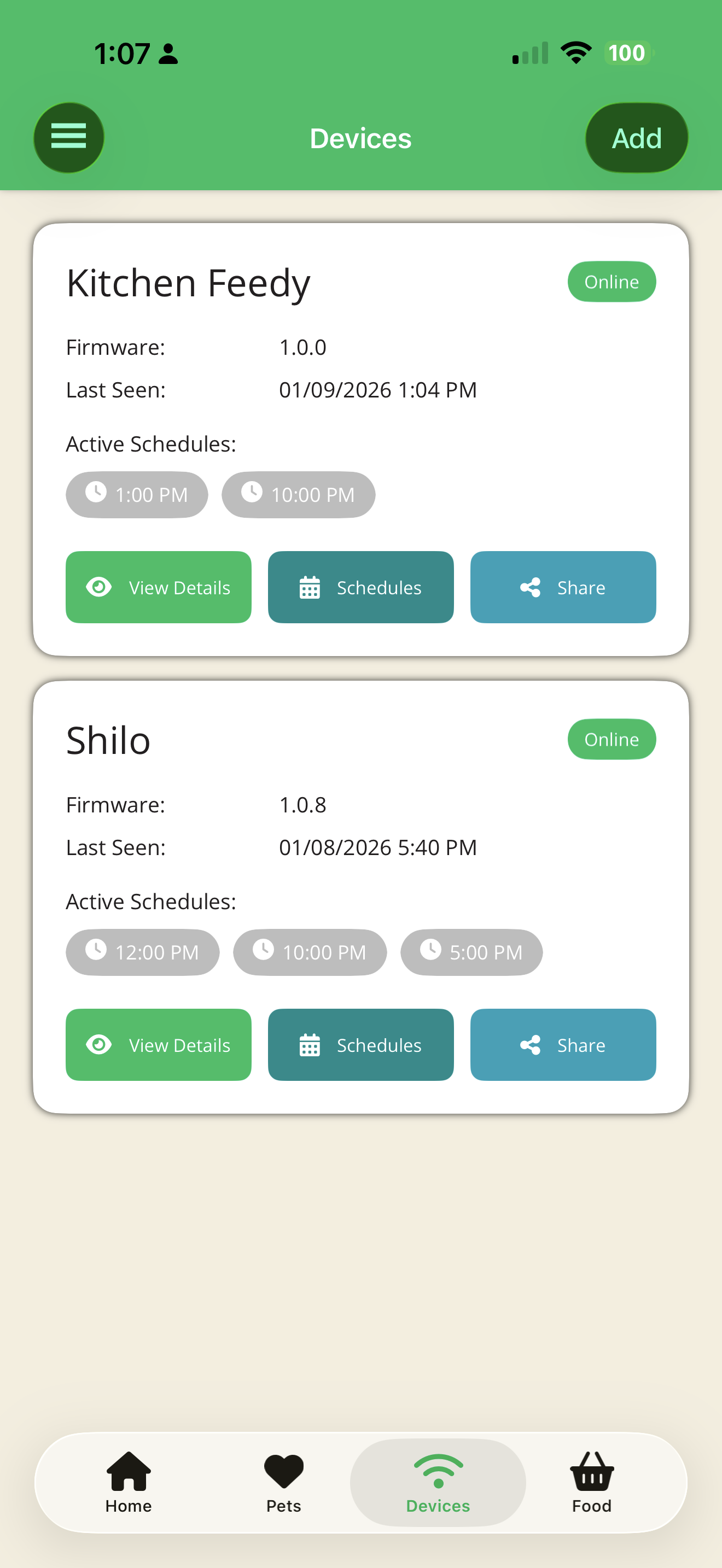
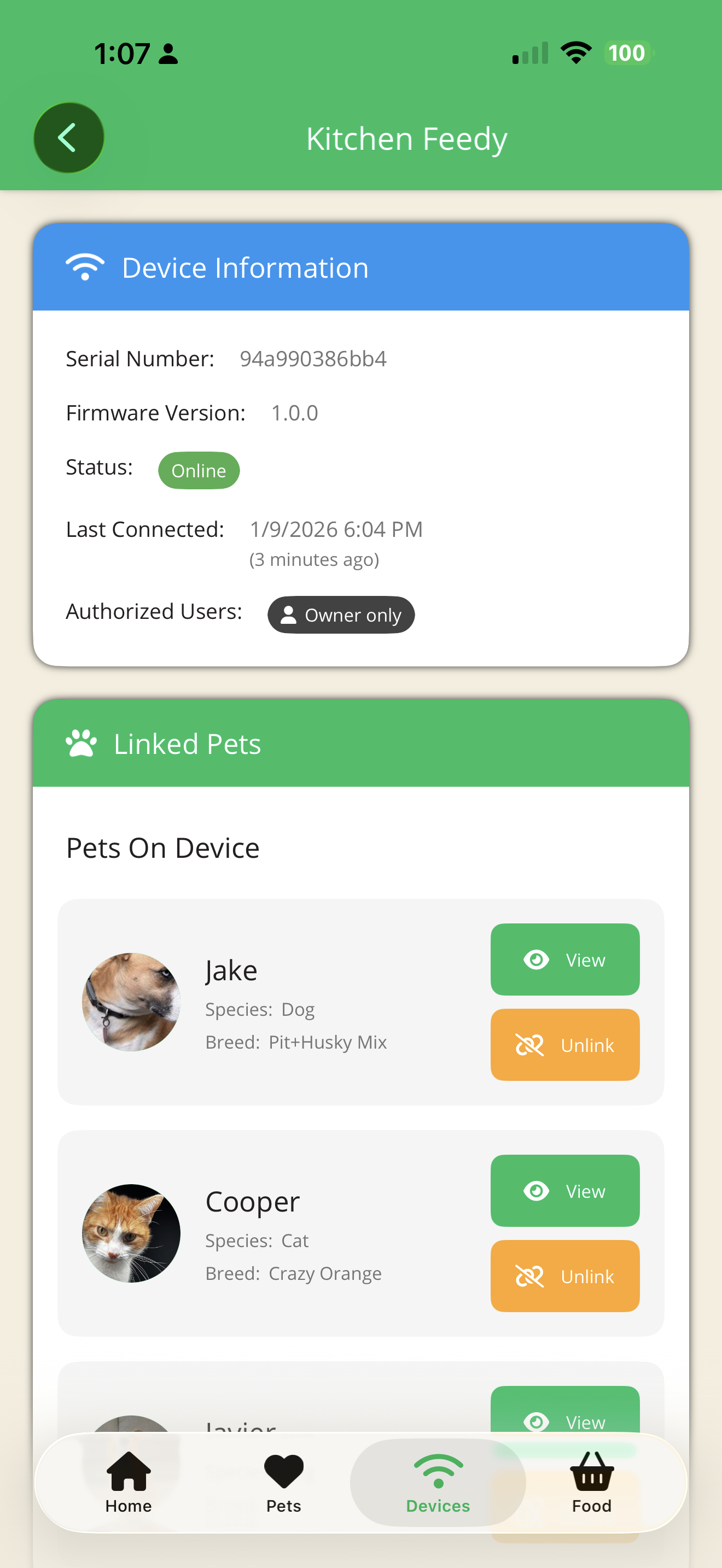
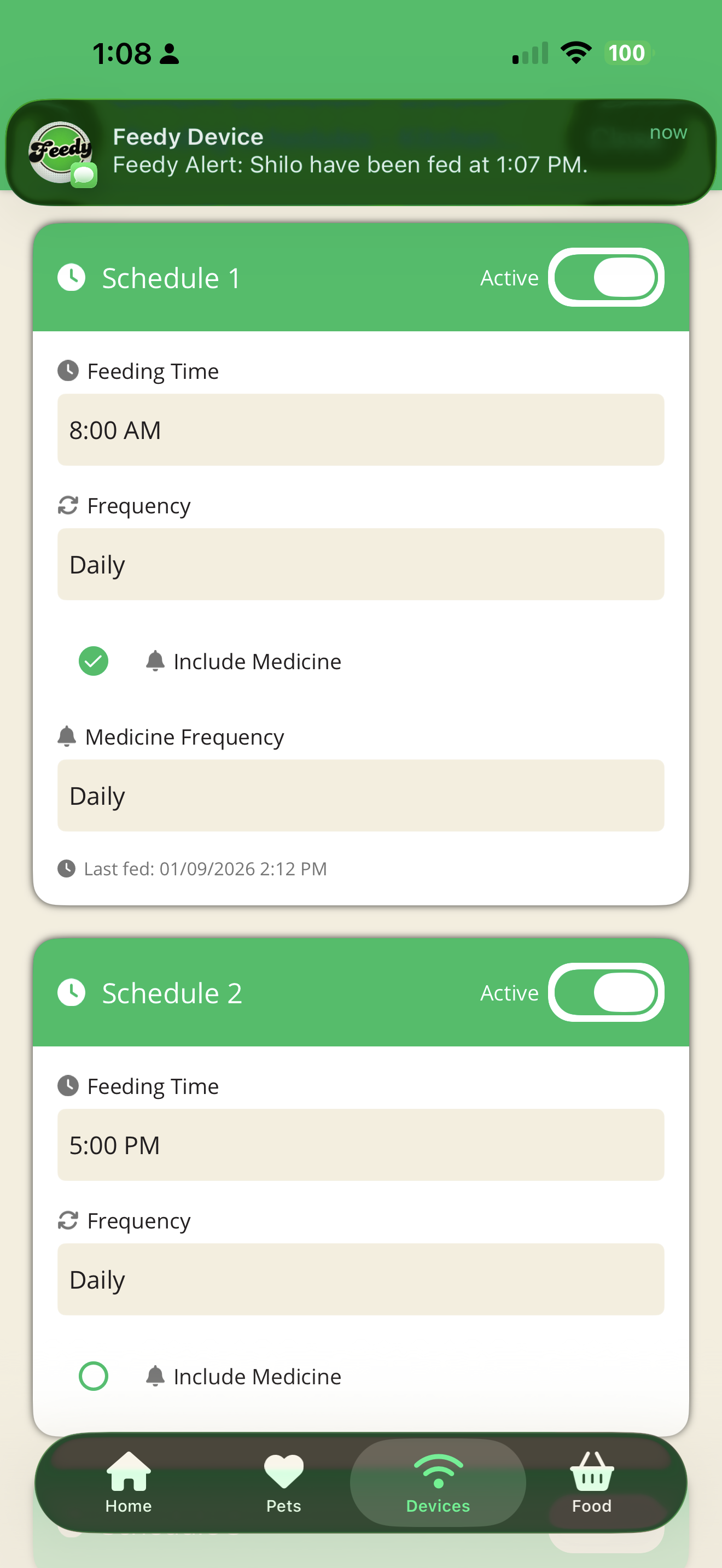
The device and the app share one live feeding log, so every household member sees the same thing.
- Feeding schedules for every pet, synced to the device
- Full history: who fed which pet, and when
- Medication tracking alongside meals
- Food inventory, with a heads-up before you run out
- Share with family and pet sitters
- Text alerts for feedings and missed meals
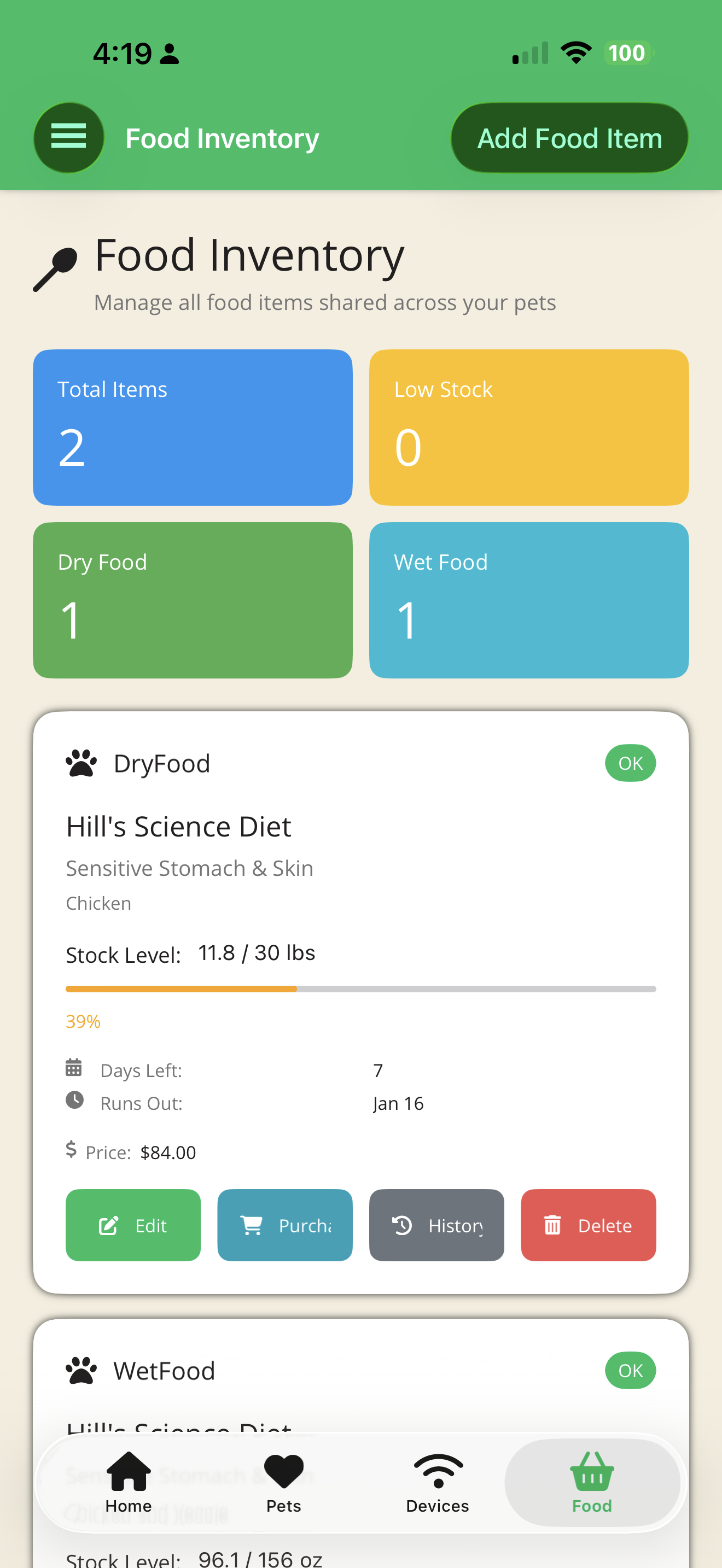
Pocket-sized. Fridge-ready.
52 × 52 × 15.5 mm · 39 g
- Display
- 1.75″ round AMOLED touch screen, 466 × 466
- Processor
- ESP32-S3 dual-core, 8 MB PSRAM, 16 MB flash
- Connectivity
- 2.4 GHz Wi-Fi; Bluetooth LE and USB-C for setup
- Audio & feedback
- Speaker (chimes, spoken instructions), microphone, vibration motor
- Controls
- Touch screen, 2 programmable buttons, power button
- Power
- 450 mAh rechargeable battery, USB-C charging
- Clock
- Real-time clock keeps schedules when offline
- Mounting
- Magnetic back, lanyard hole
- Size & weight
- 52 × 52 × 15.5 mm, 39 g
Built on the ESP32-S3 platform. Hardware partner: M5Stack (StopWatch). Specifications may change before production.
Good to know.
More answers about setup, battery, households and availability in the full FAQ.
Is JustFed an automatic feeder?
No, on purpose. JustFed never touches the food. You feed your pet the way you always have, and JustFed makes sure everyone in the household knows it’s done. There’s no hopper to jam and no motor to break.
What happens if nobody responds to the alert?
The reminder escalates: the screen dims to save power and the chime repeats more often. If a feeding still hasn’t been logged after 3 hours, the household is told it was missed.
How is it powered and charged?
It has a 450 mAh rechargeable battery and charges over USB-C. Between feedings the screen sleeps so the battery goes a long way. The device warns you when the battery is low. When it’s plugged into USB power, it stays on as a live countdown clock.
What if my Wi-Fi goes down?
Feedings are saved on the device and sync to JustFed Cloud automatically once Wi-Fi is back, so nothing is lost. The built-in clock keeps the schedule running in the meantime.
Does it work with more than one pet?
Yes. The device shows whichever pet is due and what to give them. You can add more devices to one account (one per bowl, room or pet) and everything stays in sync. Multiple pets and devices depend on your cloud plan.
Available November 15, 2026
Be the first to know when it’s available.
The new JustFed is available November 15, 2026. Join the launch list and we’ll let you know the moment you can order one. Pricing will be announced at launch.
Join the launch list
We’ll email (or text) you the moment JustFed is available.
Feeding tips & pet care

JustFed Launches Kickstarter for Smart Pet Feeding Coordination
JustFed announces the pre-registration of its Kickstarter, promising to solve the age-old question, 'Did anyone feed the dog?' Learn how JustFed can transform your pet care routine.
Admin · Jun 2, 2026

Dedicated IoT Devices: Simplifying Family Pet Care
Explore how dedicated IoT devices like JustFed simplify pet care coordination, ensuring your furry friends are fed correctly, every time.
Admin · Apr 15, 2026
Avoid Pets' Overeating: Stop Double Feeding with JustFed
Discover how the JustFed device prevents double feeding, keeping your pet healthy and avoiding potential obesity. Perfect for multi-caregiver households.
Admin · Apr 13, 2026